Custom Headers.Rules, not hacks.
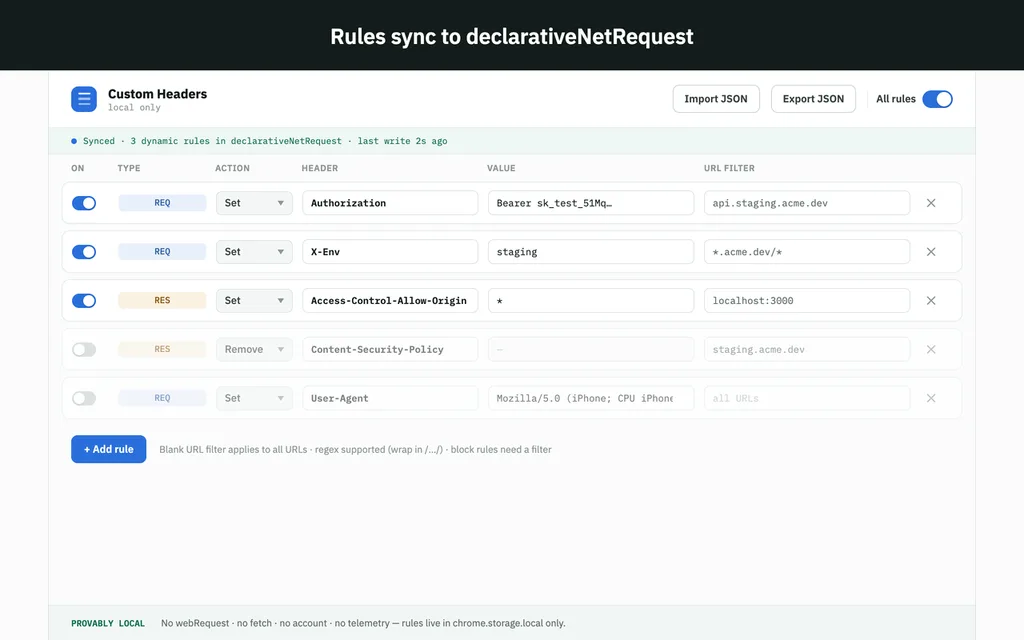
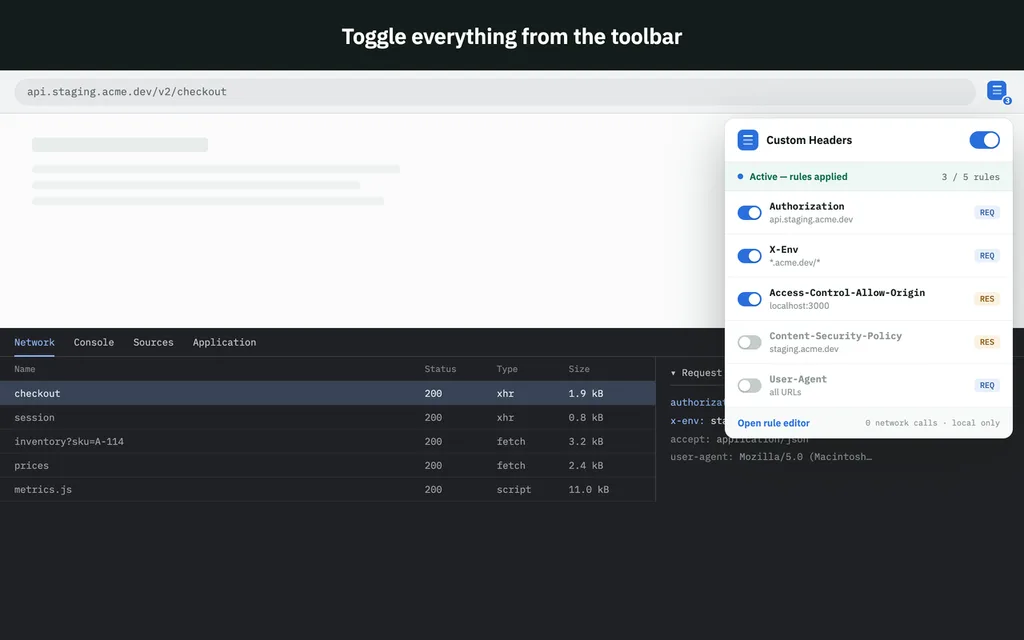
Modify request, response and CORS headers with declarativeNetRequest rules — scoped by site, saved as profiles, switched from the toolbar. One-click ModHeader import brings the rules you already have across.
Already use it? Leave a review — it takes a minute and helps more than you’d think.
01
Rules at the network layer
Request, response and CORS headers — scoped by site, path or resource type. No content scripts, no per-tab injection, no flicker on load.
02
Profiles for every environment
Save rule sets for dev, staging and prod, and switch them from the toolbar. The active profile is always visible on the badge.
03
One-click ModHeader import
Drop your ModHeader JSON export and keep working. Rules, profiles and toggles arrive intact — nothing to rewrite by hand.
04
Nothing leaves your machine
Rules live in local extension storage. No account, no telemetry, no remote config — the store listing’s permissions are the whole story.
Bring your rules with you.
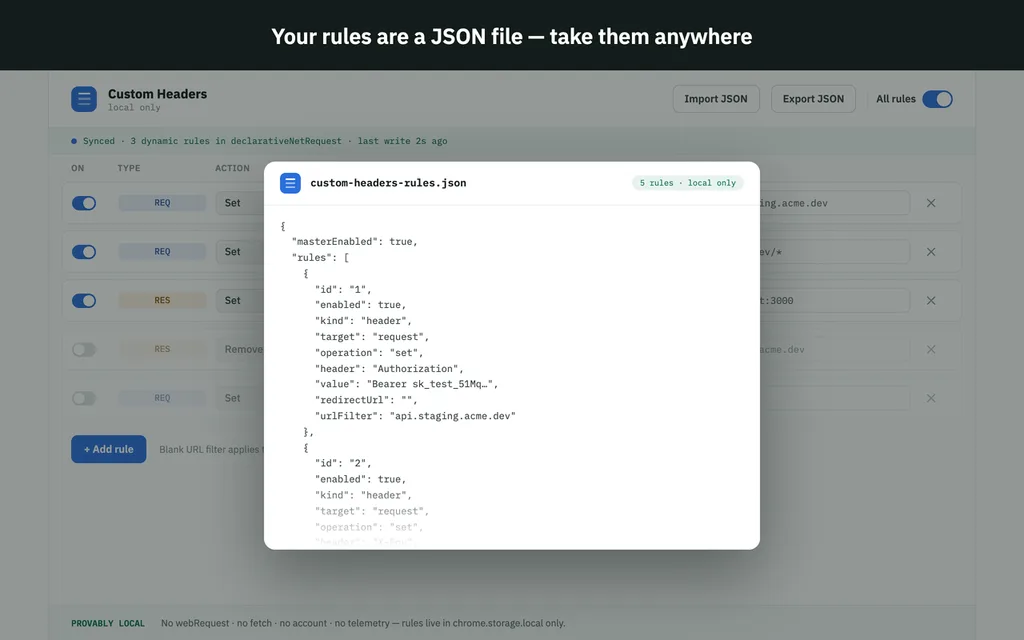
Export your ModHeader profiles as JSON, drop the file on the import screen, and everything arrives intact — rules, profiles, toggles, comments. Nothing to rewrite.
Custom Headers → Profiles → Import
✓ 14 rules · 3 profiles imported
Headers change even while the extension sleeps.
Older header tools ran code that had to be awake to catch each request, so the first request after an idle spell could slip through unmodified. Custom Headers registers its rules with the browser itself and they are applied at the network layer — they hold even while the extension is asleep. No dropped headers on the first request of the day.
Questions
Does it keep working when the extension goes idle?
Yes. Rules are registered with the browser itself and applied at the network layer, so they hold even while the extension is asleep.
Can I import my ModHeader setup?
Yes — export JSON from ModHeader and import it under Profiles. Rules, profiles and on/off states are preserved.
Are there limits on rule count?
Chrome allows 30,000 static rules per extension and 5,000 dynamic ones; in practice you will not hit either. The UI warns you long before the browser does.